


PuzzlePlay: Games & Rewards
4.72.84K Reviews
App Specs
- Version
- 1.30.0
- Updated On
- License
- Free
- Downloads
- 100,000+
- Developer
- PuzzlePlay
- Categories
- Entertainment
- Platform
- Android
Screenshots
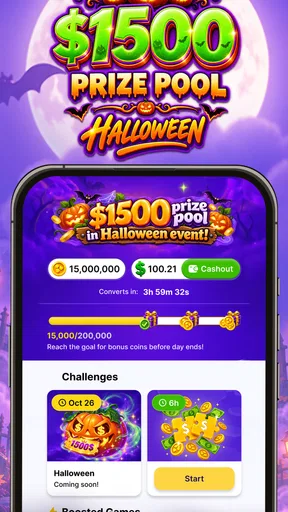
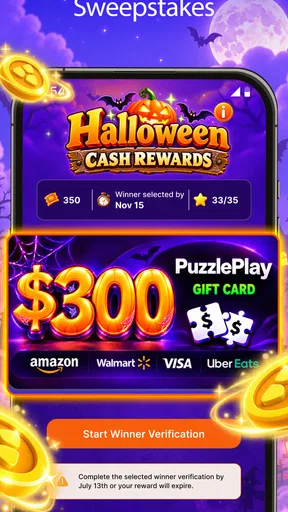

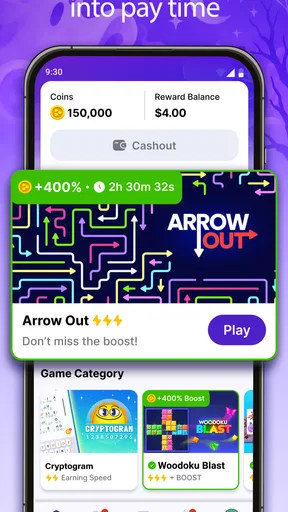
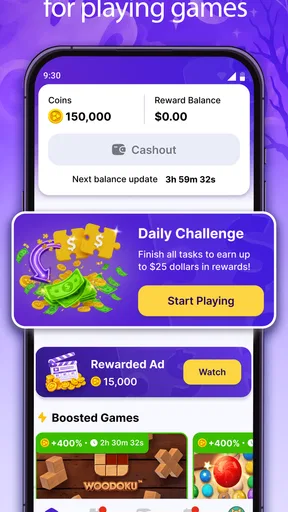
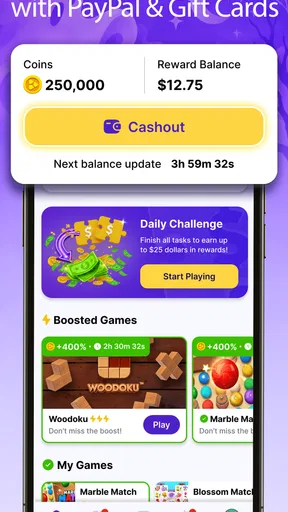
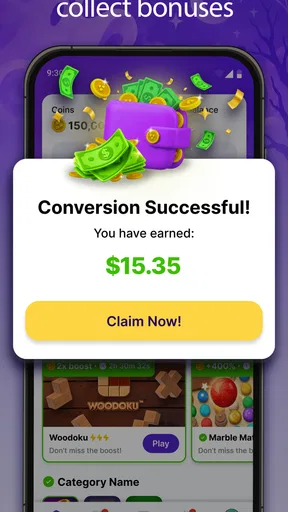
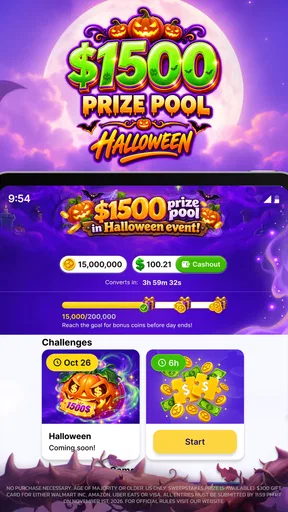
 Analysis by AppCompare
I tried PuzzlePlay: Games & Rewards as a casual entertainment app, and my first impression was straightforward: it is built for people who want to spend a few spare minutes on puzzle games while working toward gift cards. That combination makes it more interesting than a standard collection of time-killers, but it also means the experience has two jobs to do well. The games need to be enjoyable on their own, and the reward side needs to feel clear enough that it does not distract from playing.
PuzzlePlay comes from PuzzlePlay and is free to install. It sits in the entertainment category rather than presenting itself as a traditional single-game release, so I approached it as a hub for short puzzle sessions. The audience is mature, with a 17+ content rating, which is worth noticing before installation, especially if you are choosing apps for a younger family member. The current release is version 1.30.0, and the app requires Android 10 or later.
What makes it appealing is the low-commitment format. I can open it when I have a short break, play without preparing for a long session, and leave when I am done. The gift-card angle gives those small sessions a purpose, although I would not treat it as a reliable source of income. In my view, the right way to judge it is as a free puzzle app with an additional incentive, not as a financial product.
How PuzzlePlay feels in everyday use
The most natural use case is a quiet gap in the day: waiting for an appointment, taking a break from work, or relaxing before bed. Puzzle games fit those moments better than entertainment apps that demand constant attention, and PuzzlePlay’s format encourages short visits rather than a full evening of commitment. I found that useful because I could decide in advance to play for only a few minutes instead of getting pulled into a longer activity.
The app’s central idea is easy to understand. You choose from the available puzzle experience, play, and work toward rewards. That simplicity is a strength for first-time users. There is no need to learn a complicated social system or understand a large collection of modes before starting. At the same time, the reward promise creates a higher standard: every step connected to progress should be easy to identify.
I recommend treating the reward track as a secondary benefit. If the puzzle itself is not enjoyable, the incentive will probably not compensate for repetitive sessions. This is an important distinction from ordinary puzzle apps, where the main goal may be relaxation, score chasing, or completing a level. Here, I would first ask whether the available games suit your taste, then consider the gift-card element.
One practical habit helped me keep the experience pleasant: I separated play time from reward checking. Instead of repeatedly opening menus to see whether progress had changed, I focused on the puzzle and checked the relevant status afterward. That reduces the feeling of turning every move into a transaction and makes the app feel more like entertainment.
Worth Reading Before You Choose

EA SPORTS FC Mobile 26 Is a Bigger Football Game, but It Takes Time

Flipboard Shows What News Apps Must Do Beyond the Feed

Switching to Android Auto Means Rethinking Your Driving Routine

Google Calendar Makes a Crowded Week Easier to Manage

Ludo King Makes the Most of the Minutes Between Plans

Baby Panda World Brings Quick Play to Modern Phones, but Its Game Library Feels Busy
The current version and what it tells me
Version 1.30.0 suggests that the product is beyond an initial experiment and has received continued development. I would still avoid assuming that a version number guarantees a particular feature set or a perfectly polished experience. What matters in daily use is whether the current build launches reliably, keeps navigation understandable, and makes progress easy to follow.
The app has reached more than 100,000 installs, with a 4.7 average from around 7,100 ratings and roughly 2,800 written reviews. Those figures indicate that the concept has attracted a meaningful audience and that many users have responded positively. They are useful signals, but they do not replace personal testing: a high average can still include people whose expectations about rewards, puzzle variety, or session length differ from yours.
For existing users, the current release is best viewed as a continuation rather than a reason to change the way they play. If you already enjoy the available puzzles, an updated build is mainly valuable when it makes the routine smoother. I would pay attention to whether returning to the app feels consistent, whether progress remains understandable, and whether the reward path is presented without unnecessary confusion.
What has improved the product’s direction
The clearest development choice is the combination of puzzle play and gift-card goals. Rather than asking users to download a separate game for entertainment and another service for rewards, PuzzlePlay places both ideas in one destination. That makes the product easy to explain to a friend, and it gives short sessions a visible sense of purpose.
Another positive sign is the focused identity. The name, category, and store positioning all point toward puzzle-based entertainment instead of trying to cover every kind of mobile activity. A focused app can be easier to return to because you know what kind of experience awaits you. I would rather see a compact puzzle hub with a clear reason to open it than a crowded app that mixes unrelated activities.
There is also a useful psychological difference between earning progress in a puzzle app and simply watching short videos or scrolling through a feed. PuzzlePlay asks me to participate. That does not automatically make it more valuable, but it can make a break feel more deliberate. For someone who wants a small mental challenge instead of passive browsing, that is a genuine advantage.
Still, the reward layer changes how I evaluate the app. In a normal puzzle game, a repetitive level may be acceptable if the mechanics are satisfying. In a reward-oriented app, repetition can feel more noticeable because the user may be continuing mainly for progress. The best experience will therefore depend on a balance between enjoyable puzzles and transparent advancement.
Who will get the most from it
I think PuzzlePlay is a good match for casual players who enjoy bite-sized puzzles and like having a concrete reason to return. It may also suit people who do not want to commit to a large game with an elaborate story, competitive ranking, or long tutorial. The free price lowers the barrier to trying it, so it is reasonable to explore the basic routine before deciding whether it deserves a regular place on your phone.
It can work particularly well for people who already have a predictable set of idle moments. If you commute as a passenger, wait between classes, or take several short breaks during the day, the format gives those gaps a consistent activity. I would set a modest personal limit, such as one short session at a time, so the app remains a pleasant option rather than becoming a chore performed only for the reward.
The mature age rating deserves a deliberate decision. Even if the puzzles themselves seem suitable to an individual user, families should follow the rating when deciding whether the app belongs on a child’s device. The rating is not a detail I would ignore simply because the app looks casual.
I would skip it if your main goal is deep puzzle design, a carefully structured campaign, or a completely distraction-free experience. Dedicated puzzle games are often better when you want refined mechanics, rich difficulty curves, or a long-term challenge built around mastery. I would also skip it if you dislike reward systems in general, because the incentive is central to the app’s identity rather than a minor extra.
How it compares with ordinary puzzle alternatives
Compared with a conventional puzzle game, PuzzlePlay offers a broader reason to return but may provide less of the focused craftsmanship that comes from a title built around one mechanic. A dedicated game can be preferable when you want to improve a specific skill, solve increasingly complex boards, or enjoy a polished offline routine without thinking about external rewards.
Compared with passive entertainment apps, PuzzlePlay gives me more control over the session. I am making decisions and solving problems rather than simply consuming a stream. The trade-off is that it requires attention. If I am too tired to think or only want background entertainment, a video or audio app may be a better choice.
Compared with reward-focused alternatives, the puzzle format is its main differentiator. It gives the user something concrete to do while working toward the incentive. That is more appealing to me than a system where the reward objective dominates the entire experience. However, anyone comparing options should look closely at how understandable the progress path feels in actual use, not just at the headline promise of gift cards.
A useful comparison test is simple: play PuzzlePlay because you want to solve puzzles, then ask whether the reward element improves the session or merely persuades you to continue. If it improves the experience, the app has found the right balance for you. If it merely extends repetitive play, a standard puzzle title may leave you more satisfied.
Small workflow choices that make a difference
My first tip is to decide what success means before opening the app. If your goal is a quick mental break, stop when the break is over. If your goal is to explore the reward path, inspect how progress is presented and whether the steps make sense to you. Keeping those goals separate prevents the app from quietly turning a five-minute pause into an open-ended task.
My second tip is to use the early sessions as a compatibility check. Notice whether the puzzle style feels comfortable on your phone, whether the pace suits you, and whether you enjoy the decisions required. This is more useful than judging the app solely by the possibility of a gift card. A reward cannot make an unsuitable puzzle format enjoyable for everyone.
Third, I would keep expectations conservative. Gift-card incentives can be motivating, but they should not be confused with guaranteed earnings or a substitute for work. Use the app only if the entertainment value stands on its own. That mindset protects the experience from disappointment and makes it easier to stop when the session is no longer fun.
Finally, return to the app with a clear reason rather than checking it compulsively. A simple routine—play during a planned break, then leave—helps preserve the casual character that makes puzzle games attractive. It also gives you a better sense of whether the app is genuinely useful in your life or merely taking advantage of the reward loop.
Where the experience still needs care
The biggest potential friction is expectation management. “Earn gift cards” is a strong promise, and users will naturally want to know how progress works, what actions count, and how the reward journey fits into normal play. If those details are not immediately clear, even enjoyable puzzles can feel secondary. I would judge the app harshly if the reward path required guesswork or if progress felt disconnected from what I had just done.
Another limitation is the possibility of repetition. Puzzle collections can be enjoyable at first but lose their appeal if the available variety does not match a user’s preferences. This is where PuzzlePlay differs from a single premium puzzle title: the hub format is convenient, but the quality of the overall experience depends on the selection remaining interesting to you.
The free model may also influence how the app feels during longer sessions. I would be alert to anything that interrupts the puzzle flow or makes the reward goal more prominent than the game itself. A short session can tolerate a little friction; repeated interruptions become much more noticeable when someone uses the app every day.
Device compatibility is another practical consideration. Android 10 is the minimum operating system, so anyone using an older phone should check compatibility before planning around the app. On a supported device, I would still leave enough storage and keep the operating system reasonably current, since entertainment apps can become less comfortable on aging hardware even when they technically install.
What I would watch in future updates
For the next stage of development, I would look for improvements that make the relationship between play and rewards easier to understand. Clear progress feedback, a calm interface, and a smooth return to an unfinished session would matter more to me than adding a long list of decorative features. The app already has a clear concept; refinement should focus on trust and usability.
I would also watch for signs that the puzzle selection is becoming more varied without losing its approachable character. More choice is useful only when the options remain easy to discover and the app does not become cluttered. A good update should help me find the kind of puzzle I want quickly, especially when I have only a short break.
Existing users should pay attention to how an update affects their familiar routine. After installing a new version, I would check that progress is displayed in the same understandable way, that the app opens where expected, and that the reward-related steps remain clear. Those are small checks, but they matter more than a new version label by itself.
New users should begin with a trial mindset. Install the free app, explore the puzzle experience, and decide whether you would still enjoy it without the incentive. That answer is the most reliable guide to whether PuzzlePlay belongs on your device. The store audience is already substantial, with over 100,000 installs, but popularity does not make every puzzle style suitable for every player.
My overall view is positive but measured. PuzzlePlay combines a familiar casual activity with a reward objective in a way that can make short breaks feel more purposeful. I like the focused concept, the low entry cost, and the fact that the app gives me something active to do instead of another feed to scroll. I would recommend it to mature users who genuinely enjoy casual puzzles and are comfortable treating gift cards as an extra incentive.
The key is to play for the puzzles first and regard the rewards as a bonus. If you need a deep, premium puzzle experience, a completely passive form of entertainment, or a guaranteed financial return, another category will serve you better. For the right user, though, PuzzlePlay is an easy app to try and a potentially convenient companion for those small everyday gaps when you want a little challenge with a practical goal attached.
Pros
- Wide variety of casual puzzles for short
- relaxing play sessions.
- Simple interface makes the app easy to navigate for new users.
- Reward system adds extra motivation beyond completing puzzles.
- Progress tracking helps players monitor completed games and achievements.
- Suitable for quick entertainment during commutes or spare moments.
Cons
- Rewards may require significant time or repeated gameplay to accumulate.
- Some features or content may be restricted behind ads or in-app purchases.
- Frequent advertisements can interrupt the flow between puzzle sessions.
- Puzzle difficulty and variety may feel limited for experienced players.
- Reward availability and redemption terms may vary by region or account.
FAQs for PuzzlePlay: Games & Rewards
What is PuzzlePlay: Games & Rewards?
PuzzlePlay: Games & Rewards is a mobile gaming app that combines casual puzzle and arcade-style games with a rewards system. After installing it, users can browse the available titles, play short sessions, and collect points or other in-app rewards according to the app’s current rules. The exact games, earning methods, and reward options may vary by country and app version.
How do rewards work in PuzzlePlay: Games & Rewards?
Rewards are generally connected to activities such as playing supported games, reaching milestones, completing tasks, or viewing optional advertisements. The app normally tracks progress through your account, but rewards may not appear instantly and can be subject to eligibility requirements, minimum redemption thresholds, and verification. Before spending significant time in the app, review the reward terms, expiration rules, and available withdrawal methods.
Is PuzzlePlay: Games & Rewards free to download and use?
PuzzlePlay: Games & Rewards can typically be downloaded without an upfront purchase, allowing users to try its games and reward features at no initial cost. However, free apps may include advertising, optional purchases, mobile-data usage, or features that require watching promotional content. Check the Google Play Store or App Store listing for the current pricing, in-app purchase details, and supported devices before downloading.
Can I really earn cash or gift cards with PuzzlePlay?
The app may offer points that can potentially be exchanged for cash, gift cards, or other rewards, but users should not treat it as a guaranteed income source. Availability depends on location, account status, current campaigns, and whether redemption requirements are met. Read recent user feedback and the official terms carefully, and remember that advertised rewards can change or be limited by regional restrictions.
What permissions and personal information does PuzzlePlay require?
During installation or first use, PuzzlePlay may request permissions or account information needed for analytics, advertising, gameplay tracking, notifications, or reward verification. The exact requests depend on your device and operating system. I recommend checking the app’s privacy policy and store data-safety section before accepting anything. Only grant permissions that seem necessary, and avoid sharing sensitive information unless the redemption process clearly requires it.


